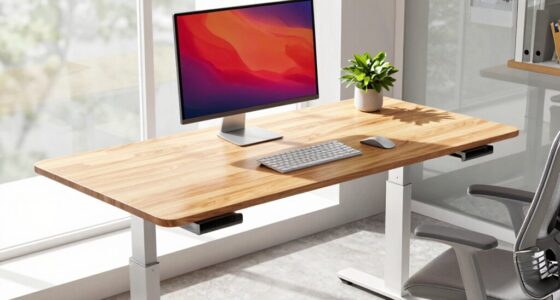
Before buying an ultrawide monitor, consider its resolution, compatibility, and how it fits your workspace. Higher resolutions like 1440p or 4K offer sharper images but demand more from your graphics card. Check if your device has the right ports, like HDMI or DisplayPort, and confirm that your software supports wider screens to avoid display issues. Ensuring ergonomic placement and ample desk space also matters. If you keep these factors in mind, you’ll find the perfect fit—there’s more to discover if you continue exploring.
Key Takeaways
- Check compatibility with your device’s ports (DisplayPort, HDMI) and ensure it supports your desired resolution and refresh rate.
- Consider your workspace size and ergonomics to accommodate the wider screen comfortably.
- Verify software and application support for ultrawide aspect ratios to avoid display issues.
- Ensure your graphics card can handle the monitor’s resolution for smooth performance.
- Be aware of potential compatibility issues with games or creative software that may not fully support ultrawide formats.
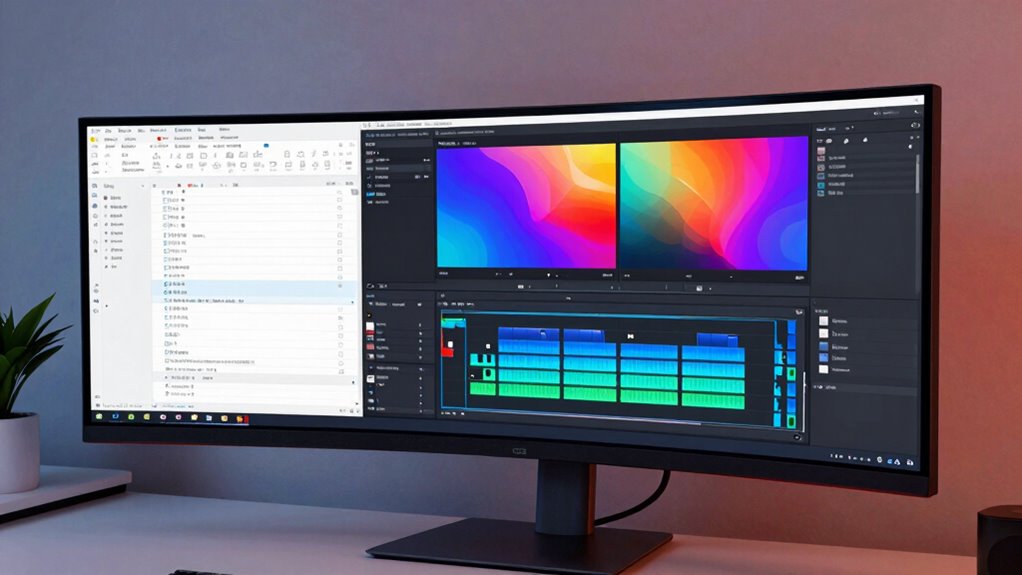
Ultrawide monitors have become popular for their immersive viewing experience and increased productivity, but before making a purchase, it’s vital to understand what sets them apart from traditional screens. One of the most critical factors to evaluate is display resolution. Unlike standard monitors, which typically offer 1080p or 1440p resolutions, many ultrawide options come with higher resolutions like 3440×1440 or even 5120×2160. These higher resolutions provide sharper images and more screen real estate, allowing you to work with multiple windows side by side or enjoy more detailed visuals. However, keep in mind that a higher resolution demands more from your graphics card, so you need to verify that your hardware can handle it smoothly. If your system isn’t capable, you might experience lag or stuttering, which defeats the purpose of a seamless, immersive experience.
Another key aspect is compatibility considerations. Ultrawide monitors often have unique aspect ratios, such as 21:9 or 32:9, which can sometimes cause issues with certain software or games. Before buying, confirm that your favorite applications support these wider formats, especially if you plan to use the monitor primarily for gaming or creative work. Some older programs or games might display improperly or not utilize the entire screen, leading to letterboxing or stretched visuals. Additionally, check your device’s ports and connections. Many ultrawide monitors use DisplayPort or HDMI, but the specific version and number of ports can vary. Make sure your PC’s graphics card has the appropriate outputs and that your cables support the resolutions and refresh rates you desire. If you’re using a laptop, verify it can support an ultrawide screen through compatible ports or adapters.
Furthermore, think about your operating system’s capabilities. Windows, macOS, and Linux all handle ultrawide displays differently, and some might require configuration adjustments for maximum performance. You should also be aware that some monitors come with built-in features like picture-in-picture modes or multiple input sources, which can enhance usability but may need additional setup. Additionally, display resolution is a crucial factor that can influence your overall experience, especially when considering the hardware capabilities needed for smooth performance. Understanding monitor calibration can also help you achieve the best image quality and color accuracy, making your viewing experience more enjoyable. Finally, consider your workspace. Ultrawides are considerably wider than traditional monitors, so ensure your desk has enough space and that you can position the monitor comfortably without feeling cramped. By paying close attention to display resolution and compatibility considerations, you’ll make a smarter choice that truly enhances your viewing experience and productivity.
As an affiliate, we earn on qualifying purchases.
Frequently Asked Questions
How Do Ultrawide Monitors Impact Desktop Space?
Ultrawide monitors considerably impact your desktop space by requiring more room for setup, but they also offer ergonomic benefits through a seamless, single-screen experience that reduces clutter. Their aesthetic appeal enhances your workspace’s look, making it feel modern and streamlined. While they take up more physical space, the increased productivity and visual comfort they provide often outweigh the downsides, making your desk both functional and stylish.
Are Ultrawide Monitors Suitable for Gaming?
Yes, ultrawide monitors are great for gaming because they offer an immersive experience with their wide screens and screen curvature. The curved design draws you into the game, making it feel more realistic and engaging. Plus, the extra screen space helps you see more of your surroundings, giving you a competitive edge. Just make certain your gaming setup can support the resolution and refresh rate for smooth gameplay.
What Are the Best Brands for Ultrawide Monitors?
You should consider brands like LG, Dell, and Samsung for ultrawide monitors, as they offer excellent quality, ergonomic adjustments, and reliable color calibration. These brands prioritize user comfort with adjustable stands and guarantee accurate colors for work or entertainment. When choosing, look for models with good build quality, vibrant displays, and features that support your needs, making your viewing experience both comfortable and visually stunning.
How Do I Connect an Ultrawide Monitor to Multiple Devices?
You can connect an ultrawide monitor to multiple devices using multiple inputs like HDMI, DisplayPort, and USB-C. To keep things organized, use cable management tools to prevent clutter. Consider mounting options that allow easy switching between devices, such as a monitor arm with multiple input ports or a KVM switch. This setup helps you seamlessly toggle between your computer, gaming console, or other devices while maintaining a tidy workspace.
What Is the Typical Lifespan of an Ultrawide Monitor?
An ultrawide monitor’s lifespan is like a well-tended garden, thriving for 3 to 5 years with proper care. You’ll want to keep its color calibration sharp and check resolution options regularly to guarantee it performs at its best. Over time, panel degradation and technological advances might make you consider an upgrade. But with gentle handling and regular maintenance, your ultrawide can remain vibrant and functional for years to come.
best ultrawide monitor for gaming
As an affiliate, we earn on qualifying purchases.
As an affiliate, we earn on qualifying purchases.
Conclusion
Before you leap into the world of ultrawide monitors, remember to weigh your needs, space, and budget carefully. These screens can transform your gaming, work, or creative experience—think of them as your modern-day Excalibur in the digital domain. Just keep in mind that not all setups will support every feature, so do your homework. With the right choice, you’ll be embracing the future of display tech faster than you can say “Yabba Dabba Doo!”
ultrawide monitor with HDMI and DisplayPort
As an affiliate, we earn on qualifying purchases.
As an affiliate, we earn on qualifying purchases.
ergonomic monitor stand for ultrawide display
As an affiliate, we earn on qualifying purchases.
As an affiliate, we earn on qualifying purchases.