
TL;DR

Get your next haul delivered free with Prime
- Fast, free delivery on millions of items
- Prime Video, Amazon Music and more included
- Member-only deals all year
Prebuilt AI workstations now often match or beat DIY costs thanks to component shortages and bulk buying. The choice depends on your need for quick deployment, support, and customization, not just savings.
Imagine you’re ready to jump into AI training or inference. You need a powerhouse, but the question hits: build it yourself or buy preassembled? For years, the answer was simple—DIY was cheaper, and prebuilt was a time-saver. But in 2026, that’s no longer true.
The AI boom, chip shortages, and bulk manufacturing have shifted the landscape. Now, the decision hinges on more than just cost. It’s about support, control, and how fast you want to get rolling. This guide walks you through what really matters — and how to choose the right path for your needs.
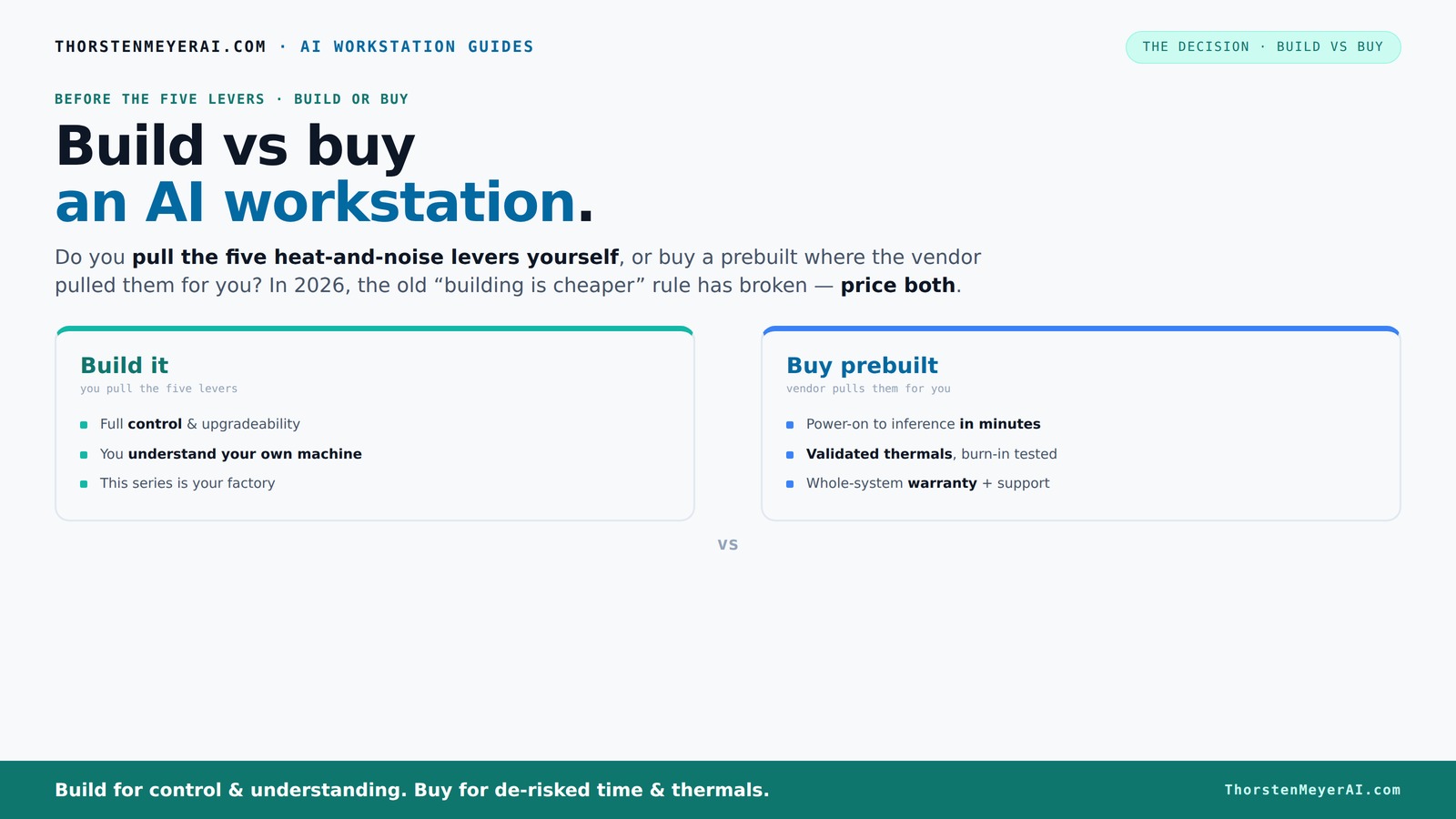
Build vs buy
an AI workstation.
The real question behind this whole series: do you pull the five heat-and-noise levers yourself, or buy a prebuilt where the vendor pulled them for you? And in 2026, the old “building is cheaper” rule has broken. Match your situation in Part 3.
Key Takeaways
- Component shortages in 2026 have made DIY builds more expensive and complex, often matching or exceeding prebuilt costs.
- Prebuilt systems include validated thermals, support, and faster deployment—ideal for professionals who need reliability without hassle.
- Building offers full customization and upgrade paths, perfect for hobbyists, students, or those who enjoy tinkering.
- Support and warranty are usually more straightforward with prebuilt systems, reducing downtime and troubleshooting headaches.
- Always price both options for your specific configuration before deciding—market conditions can tip the scales unexpectedly.
As an affiliate, we earn on qualifying purchases.
Why 2026 Changes the Game: Building Is Not Always Cheaper
Forget what you learned five years ago. Building a custom AI workstation used to be the obvious money-saver. Today, component shortages and skyrocketing prices for GPUs, DDR5 RAM, and SSDs have flipped that script.
For example, a DIY rig that cost $1,000 in 2024 now jumps to $1,250+ just because parts like high-end GPUs have doubled or tripled in price. Meanwhile, prebuilt systems—thanks to bulk buying—often come at comparable or even lower prices, with validation and support baked in.
This shift pushes you to ask: is saving money still the main reason to build, or does it make sense to buy for speed and reliability? It’s no longer a clear-cut choice—your local market and current component prices decide the winner.
As an affiliate, we earn on qualifying purchases.
The Real Levers: Who Tunes Your Machine — You or the Vendor?
Building or buying a high-end AI workstation boils down to who pulls the five levers: undervolting, cooling, airflow, fan tuning, and placement. These are crucial for managing heat and noise during intensive AI tasks.
If you buy prebuilt, the vendor does this tuning—testing, validating thermals, and optimizing fan curves—so your machine runs quietly and coolly right out of the box. Companies like Lambda and BIZON even run 24-48 hours of stress testing before shipping, ensuring you get a machine that’s ready to go.
Building your own? You choose the parts, tweak the cooling, and tune the fans yourself. It’s a rewarding process, but it demands time, expertise, and patience. The question is: do you want to do that, or pay for the vendor to handle it?
As an affiliate, we earn on qualifying purchases.
When a Prebuilt System Saves You Time and Headaches
If speed matters, prebuilt AI workstations are hard to beat. They arrive with everything installed—OS, drivers, deep learning frameworks—ready to run. Just power up and start training or inference.
For busy professionals or teams, this means fewer troubleshooting hours, no compatibility surprises, and reliable support. Companies like Puget and Lambda validate each system with extensive testing, so you avoid the trial-and-error of assembling and tuning yourself.
Plus, warranties often cover parts and labor, reducing downtime if something goes wrong. If your project timeline is tight or you dislike surprises, prebuilt systems can be a real time-saver.
As an affiliate, we earn on qualifying purchases.
DIY Builds: Full Control and Customization
Building your own AI workstation means freedom. You pick the CPU, GPU, RAM, cooling, and case—tailoring everything to your specific workload. Want a quiet machine with a high core count and a custom cooling loop? Done.
It’s also easier to upgrade later. If a new GPU drops or you need more RAM, you know exactly what parts fit and how to swap them.
But it’s not just about savings. It’s about control—over performance, noise, power, and future-proofing. If you enjoy tinkering or need a machine exactly suited for your tasks, DIY is the way.
Comparison Table: Build vs Buy in 2026
| Feature | Build Your Own | Buy Prebuilt |
|---|---|---|
| Cost | Potentially lower, but inflated by shortages | Comparable or sometimes cheaper due to bulk buying |
| Deployment Speed | Weeks of sourcing, assembly, testing | Ready to use in days |
| Support & Warranty | Separate warranties, DIY troubleshooting | Single support, comprehensive warranty |
| Customization | Complete control over parts and cooling | Limited by vendor options and proprietary parts |
| Thermal Tuning | DIY tuning required | Vendor handles validation & tuning |
| Upgradeability | Easy if parts are standard | Can be limited, proprietary components |
Who Should Pick Which? Decision Guide
Choosing between build and buy depends on your priorities. If you're a hobbyist or student, love tinkering, and have time, building offers maximum control and potential savings.
On the flip side, if you're a professional or a team needing quick deployment, support, and reliability, a prebuilt system cuts the hassle and risk.
Consider your budget, timeline, and technical comfort. If you need a machine that just works, buy. If you want to learn and customize, build.
Hidden Costs and Long-term Considerations
Both options come with hidden costs. Building might seem cheaper upfront, but troubleshooting, tuning, and potential part failures add time and effort. Proprietary parts in prebuilt systems can limit future upgrades and drive up repair costs.
Support can also be a hidden factor. A prebuilt with a solid warranty saves you downtime, while DIY repairs often mean dealing with multiple warranties and vendor support channels.
Think about your long-term needs—upgradability, software support, and maintenance—before making your choice.
Frequently Asked Questions
Is a prebuilt AI workstation worth the extra cost?
In many cases, yes. Prebuilts save time, come with validated thermals, and include support, which can outweigh the extra markup—especially when component prices spike in 2026.
Will I get better performance if I build my own?
Not necessarily. Performance depends on parts, cooling, and tuning. Building lets you customize, but prebuilt systems are often optimized for thermal efficiency and stability, especially under sustained AI loads.
What parts matter most for AI workloads: GPU, CPU, RAM, or storage?
The GPU usually matters most for training and inference speed, followed by RAM capacity and speed. Storage is less critical but still important for data handling. CPU matters for certain tasks, but the GPU is king in most AI scenarios.
Do prebuilt workstations use proprietary parts that limit upgrades?
Sometimes. Many prebuilt systems use proprietary motherboards or power supplies to save space or cost, which can limit future upgrades. Always check the upgradeability before buying.
How much warranty and support do I get with a prebuilt system?
Typically, a prebuilt includes a 1-3 year warranty with support options. High-end vendors often offer extended support and on-site service, reducing downtime during hardware issues.
Conclusion
Your choice between building and buying an AI workstation in 2026 hinges on what you value most—cost, control, or convenience. If speed and support matter more, a prebuilt can save you headaches. But if customization and learning excite you, DIY still holds appeal.
Remember, market shifts mean the old rules no longer apply automatically. Do the math, weigh your skills, and pick what fits your workflow best. Your next AI project awaits—ready-made or self-made, the future is yours to shape.
Halloween Picks
halloween
As an affiliate, we earn on qualifying purchases.