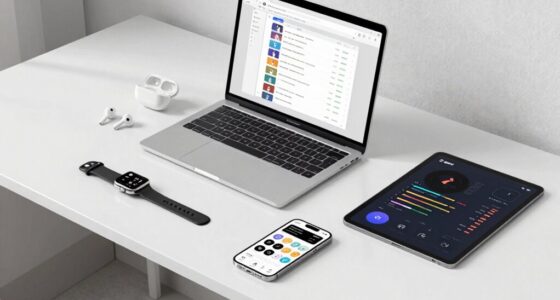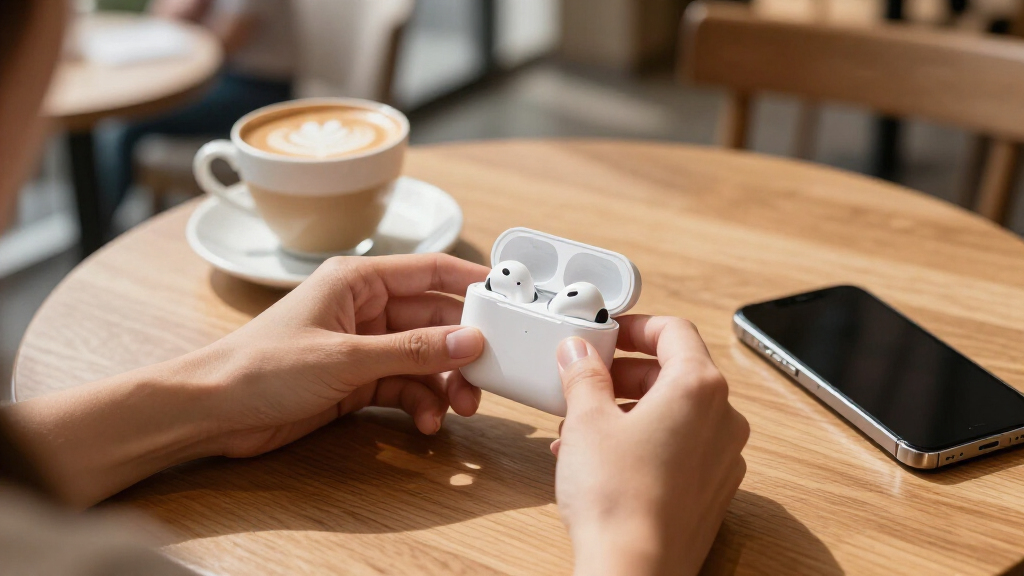

This guide walks you through the complete setup of wireless earbuds with active noise cancellation (ANC): charging them, pairing them to your phone or computer, getting a proper ear-tip seal, turning noise cancellation on, and verifying everything works. It is written for beginners — no prior experience with Bluetooth audio is assumed. By the end, your earbuds will be paired, fitted, and actively blocking background noise, and you will know how to use transparency mode, adjust settings, and fix the most common problems. Expect the whole process to take 20 to 30 minutes, most of which is charging time. If your earbuds are already charged, setup takes about 10 minutes.

Get your next haul delivered free — and shop member deals
- Fast, free delivery on millions of items
- Access to Prime Big Deal Days deals on October 6–7
- Prime Video, Amazon Music and more included
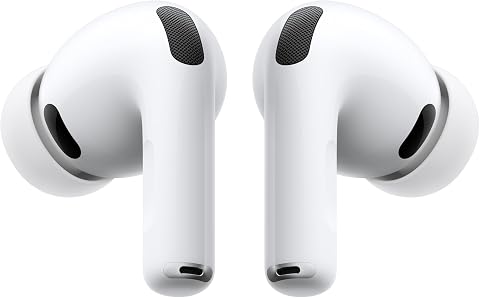
Apple AirPods Pro 3 Wireless Earbuds with Active Noise Cancellation
- ✔ Noise Cancellation: Active, up to 2x more than AirPods Pro 2
- ✔ Battery Life: Up to 8 hours (ANC on); up to 10 hours (Transparency/Hearing Aid)
- ✔ Ear Tips: 5 sizes

Soundcore P30i by Anker Noise Cancelling Wireless Earbuds
- ✔ Brand: Soundcore (Anker)
- ✔ ANC: Adaptive, up to 42dB, plus transparency mode
- ✔ Battery Life: 10 hours (6 with ANC); 45 hours with case (25 with ANC)

JBL Vibe Beam 2 Noise Cancelling Earbuds – Black
- ✔ Brand: JBL
- ✔ Drivers: 8mm dynamic, Pure Bass tuning
- ✔ Noise Cancelling: ANC with Smart Ambient
Difficulty: Beginner | Time: 20-30 minutes
What You’ll Need
Tools & Materials:
- Wireless earbuds with ANC and their charging case
- USB charging cable (usually USB-C or Lightning) and a power source
- A smartphone, tablet, or computer with Bluetooth
- Spare ear tips in different sizes (typically included in the box: small, medium, large)
- The manufacturer’s companion app, if one exists (free download from your device’s app store)
Knowledge:
- Basic phone navigation: opening Settings, toggling Bluetooth, installing apps
- Ability to play music or a video on your device for testing
Before starting, unbox everything and locate the ear tips. Check the charging case battery level if it has indicator lights — a low case battery can interrupt the process. If your earbuds came with a quick-start card, keep it nearby; some models use non-standard pairing buttons or gestures that differ from the steps below.
Apple AirPods Pro 3 Wireless Earbuds with Active Noise Cancellation
The AirPods Pro 3 set the benchmark in this lineup for one reason above all: noise cancellation that removes up to twice as much unwanted noise as the AirPods Pro 2. Compared with the Soundcore P30i’s 42dB adaptive system, Apple’s approach feels less like a spec number and more like a wall of silence — especially against low-frequency drone on planes and trains. Crucially, the AirPods Pro 3 also manage up to 8 hours of listening with ANC on, where the P30i and Vibe Beam 2 both see their headline battery figures shrink when cancellation is active.What separates this model from the other two even further is everything built around the ANC. Five ear tip sizes (versus three with the JBL) mean more people will get the tight seal that noise cancellation depends on, and Adaptive EQ tunes sound to that seal automatically. There’s also heart-rate sensing for workouts, Live Translation, and hearing-health features including an active Hearing Protection mode — none of which the Soundcore or JBL attempt.The tradeoff is real, though. Live Translation, Workout Buddy and the deepest integrations require Apple devices, so Android users would be paying a premium for hardware they can’t fully exploit. If you’re outside the Apple ecosystem, the P30i delivers most of the ANC experience for a fraction of the commitment.
Pros:
- Best-in-class ANC — up to 2x more noise removed than AirPods Pro 2
- 8-hour battery life holds even with ANC enabled
- Five ear tip sizes for a secure, personalized seal that improves both fit and cancellation
- Unique extras: heart-rate sensing, Live Translation and hearing-health features
Cons:
- Advanced features like Live Translation and Workout Buddy require Apple devices
- No volume-boosting extras for non-Apple users, limiting the value proposition outside that ecosystem
Best for: iPhone owners who want the strongest possible noise cancellation and bonus health features in one pair of earbuds
Not ideal for: Android users, who lose access to Live Translation and other Apple Intelligence features that justify the premium
Bottom line: If noise cancellation is your top priority and you’re on an iPhone, this is the pair that makes the fewest compromises.
“If noise cancellation is your top priority and you’re on an iPhone, this is the pair that makes the fewest compromises.”
Soundcore P30i by Anker Noise Cancelling Wireless Earbuds
Positioned between the premium AirPods Pro 3 and the budget JBL Vibe Beam 2, the Soundcore P30i hit the sweet spot for most buyers: adaptive ANC up to 42dB, a transparency mode, and a level of app control — adjustable ANC intensity, EQ modes, OTA updates — that neither Apple nor JBL matches for sheer customization depth at this tier. Where the AirPods optimize for people who never want to open a settings menu, the P30i rewards those who like to tune everything themselves.The party trick is the charging case, which doubles as a phone stand for hands-free viewing. It sounds gimmicky until you’re on a train tray table watching a show with ANC on — it’s a genuinely useful touch that the other two picks have no answer for. Total playtime reaches 45 hours with the case (25 with ANC on), comfortably ahead of what the AirPods Pro 3 case offers, and a 10-minute charge buys 2 hours of listening.The honest downside mirrors the JBL’s: that 10-hour per-charge figure drops to 6 hours with ANC enabled. Soundcore’s cancellation is also a step behind Apple’s — impressive for the money, but not a blackout curtain. Bass lovers will enjoy the BassUp tuning of the 10mm drivers, which is fuller than the JBL’s 8mm output, though bass-heads on a tighter budget may still prefer JBL’s signature Pure Bass character.
Pros:
- Adaptive ANC up to 42dB with adjustable intensity and transparency mode
- Charging case doubles as a phone stand for hands-free viewing
- 45-hour total battery life with fast charging (10 min = 2 hours)
- Rich app support: EQ modes, adjustable ANC and OTA firmware updates
Cons:
- Battery life drops noticeably with ANC enabled (6 hours instead of 10)
- ANC strength trails the AirPods Pro 3 despite the impressive spec sheet
Best for: Buyers who want adjustable, effective ANC and deep app customization without paying flagship prices
Not ideal for: Those needing maximum per-charge endurance with ANC on, or anyone who wants the absolute strongest cancellation available
Bottom line: The most complete package of features, battery and tunable ANC for the money — the rational default pick for most buyers.
“The most complete package of features, battery and tunable ANC for the money — the rational default pick for most buyers.”
JBL Vibe Beam 2 Noise Cancelling Earbuds – Black
The JBL Vibe Beam 2 take a different approach to the same problem. Rather than chasing the AirPods Pro 3’s class-leading silence or the P30i’s feature pile, JBL focuses on dependable ANC, signature Pure Bass sound, and sheer endurance. The 40-hour total battery figure (with ANC off) beats the Soundcore’s 45-hour claim in per-charge terms? Not quite — but its fast charging is actually the best here: 10 minutes yields 3 hours of playback, versus 2 hours for the Soundcore. For commuters who forget to charge, that matters more than the headline numbers.Its ANC is competent rather than remarkable, pairing active cancellation with Smart Ambient — an adjustable transparency mode that lets you dial in how much of the outside world reaches your ears, similar in concept to Soundcore’s adaptive approach but less granular. Where it out-flexes both pricier rivals is connectivity: Bluetooth multipoint pairing with up to 8 devices, something the AirPods Pro 3 only replicate within Apple’s ecosystem.The limitations are straightforward. The 40-hour claim only applies with ANC turned off, the 8mm drivers can’t match the P30i’s 10mm BassUp drivers for low-end weight, and there’s no mention of wireless charging. Only three ear tip sizes ship in the box, so achieving the seal ANC requires may take more trial and error than with the AirPods’ five options.
Pros:
- Active Noise Cancelling with adjustable Smart Ambient mode
- Best-in-lineup fast charging: 10 minutes = 3 hours of playback
- Bluetooth multipoint pairing with up to 8 devices
- Four microphones keep calls clear even in noisy environments
Cons:
- 40-hour battery claim only applies with ANC turned off
- No wireless charging and only three ear tip sizes included
Best for: Budget-conscious listeners who want entry-level ANC, big battery reserves and JBL’s bass-forward sound
Not ideal for: Frequent flyers or open-office workers who need the deepest noise cancellation and strongest passive seal
Bottom line: A sensible, no-drama budget choice that trades ANC muscle for endurance, fast charging and flexible multi-device pairing.
“A sensible, no-drama budget choice that trades ANC muscle for endurance, fast charging and flexible multi-device pairing.”
As an Amazon Associate we earn from qualifying purchases.
Before You Start
Two things affect your results more than anything else. First, ear-tip fit: ANC only works well when the ear tips seal your ear canal. If the seal is poor, you will hear outside noise leaking in regardless of how good the earbuds are. Second, battery state: many earbuds disable or weaken ANC below roughly 20 percent battery. Charge both the earbuds and the case fully before you begin. Also, remove one earbud from your ear whenever you cross a street, cycle, or operate machinery — noise cancellation blocks sounds you may need for safety. Never wear ANC earbuds while driving.
Step-by-Step Instructions
Step 1: Charge the earbuds and case fully
Place both earbuds in the charging case and confirm the charging lights turn on (usually a small LED on each earbud or inside the case). Connect the case to power using the supplied cable. Most cases charge in 1 to 2 hours; earbuds themselves typically take 30 to 60 minutes.
Tip: If no lights appear, remove and reseat the earbuds — charging contacts sometimes misalign, especially with new units that have protective film. Check for plastic film on the charging pins and remove it.
Check: Indicator lights show full charge, or the companion app (once installed later) reports a high battery percentage for both earbuds and the case.
Step 2: Install the companion app if one exists
Search your device’s app store for the manufacturer’s app (for example, the brand name on the box plus ‘app’). Install it and grant Bluetooth and microphone permissions when prompted. Not all earbuds have an app — if yours does not, skip this step and use the on-bud buttons or touch controls described in the manual.
Tip: Only download the official app from the manufacturer. Third-party lookalike apps may not work and can request unnecessary permissions.
Check: The app opens without error. You may need to complete pairing (next step) before the app detects your earbuds.
Step 3: Put the earbuds into pairing mode
With Bluetooth enabled on your phone or computer, open the charging case lid with both earbuds inside, or remove both earbuds and hold them near your device. Many models enter pairing mode automatically the first time. If nothing happens within 10 seconds, press and hold the button on the case or the touch surface of one earbud for 5 to 8 seconds until the LED flashes white or blue, indicating pairing mode.
Tip: Pairing mode is time-limited — usually 30 to 60 seconds. If it times out, close the case, wait 10 seconds, and try again.
Check: An LED on the earbuds or case is blinking rapidly, or your device’s Bluetooth menu shows the earbuds’ name under available devices.
Step 4: Pair the earbuds with your device
On your phone or computer, open Settings, then Bluetooth, and tap the earbuds’ name in the list of discovered devices. Accept any pairing prompts. Wait 5 to 10 seconds for the connection to establish both audio and, where applicable, microphone access.
Tip: If your device asks to pair with two entries (for example, ‘Earbuds L’ and ‘Earbuds R’), pair the one without L or R — or pair both if prompted. Some models list a single device; that is normal.
Check: The earbuds appear under ‘Connected devices’ (not ‘Available devices’) and the Bluetooth icon shows an active audio connection.
Step 5: Fit the earbuds and find the right ear-tip size
Choose the medium ear tips (usually pre-installed) and insert both earbuds: gently pull your ear upward and backward with one hand while pressing the earbud in with the other, then twist slightly until it sits snugly. Test the seal by playing music at low-to-moderate volume in a quiet room. If music sounds thin and bass is weak, or the earbud feels loose, try the large tips; if it feels tight or uncomfortable after a few minutes, try the small tips.
Tip: A quick seal test: with music playing, press each earbud gently deeper into your ear for a second. If the bass suddenly gets stronger, your current tips are too small and you are not getting a seal.
Check: Both earbuds stay seated when you shake your head gently, and music has clear bass at moderate volume with no airiness or leakage sound.
Step 6: Turn on active noise cancellation
Activate ANC using one of three methods, depending on your model: (1) long-press or squeeze the touch surface of one earbud until you hear a chime; (2) use the control described in the quick-start card; or (3) open the companion app and select the noise-control setting, then choose ‘Noise Cancellation’ or ‘ANC On’. A voice prompt or chime usually confirms the change.
Tip: The touch gesture differs by brand — a common default is press-and-hold the stem or flat surface of either earbud. Do not tap repeatedly; a single firm press-and-hold is usually enough.
Check: You hear a confirmation tone or voice prompt, and background noise such as a fan or air conditioner immediately becomes quieter.
Step 7: Test the noise cancellation in a real environment
Play music at your normal listening volume in a moderately noisy space — near a fan, an open window with traffic, or a humming appliance. Then pause the music and listen. With ANC active and a good seal, steady low-frequency noise should drop noticeably. Also test transparency mode (sometimes called ambient or awareness mode) by toggling it the same way you enabled ANC; outside sound should come through clearly, as if you removed an earplug.
Tip: ANC works best on constant, low-pitched noise (engines, fans, office hum). It cancels far less of sudden, high-pitched sound like speech or a dog barking. Some speech reduction is normal; total silence is not expected.
Check: Steady background noise is clearly reduced with ANC on, and clearly audible again with transparency mode on. Both modes switch reliably from the control or app.
Step 8: Adjust settings and learn the controls
Open the companion app and set your preferences: enable ‘wear detection’ if available (pauses audio when you remove an earbud), set which gesture controls ANC versus playback, and check for a firmware update — installing it while the earbuds are in the case and charging is safest. If you use the earbuds with multiple devices, pair them with each additional device now using the same pairing process as before.
Tip: During a firmware update, keep the earbuds in the case, keep the case near your phone, and do not close the app. Interrupting an update can make the earbuds unusable.
Check: Settings save without errors, and each control gesture performs the function you assigned when you test it.
Common Mistakes to Avoid
- Using the pre-installed ear tips without checking the fit — Ear canals vary widely, and medium tips fit only a fraction of people well. Always do the seal test in Step 5 — press the earbud in while music plays and listen for a bass increase. Swap sizes until the bass stays strong without pressing.
- Assuming ANC is broken because you can still hear voices or sudden sounds — ANC targets constant low-frequency noise. Test it against a fan, air conditioner, or traffic hum — not against a conversation. Judging ANC by speech reduction leads many users to a wrong conclusion.
- Attempting to pair while the earbuds are connected to another device — Most earbuds connect automatically to the last paired device and will not enter pairing mode while connected. Disable Bluetooth on the previously used device, or disconnect the earbuds there, before pairing to a new one.
- Interrupting a firmware update by closing the app or opening the case — Start updates only when the earbuds have charge and you can leave everything undisturbed for 5 to 15 minutes. Keep the case open, near your phone, with the app in the foreground until the update confirms completion.
Troubleshooting
Problem: Earbuds will not appear in the Bluetooth device list
Solution: Confirm the earbuds are in pairing mode (flashing LED), not just powered on. Disable Bluetooth on any other device they were previously paired with. If they still do not appear, reset them: the method varies by brand but usually involves placing both earbuds in the case and holding the case button for 10 to 15 seconds until the light flashes. Check your manual for the exact reset procedure.
Problem: Only one earbud connects or plays audio
Solution: Return both earbuds to the case for 10 seconds, then take them out together — this re-syncs them to each other. If one stays dead, check that its charging contacts are clean and that it charges (LED lights up when placed in the case). A factory reset usually resolves persistent single-bud failures.
Problem: Noise cancellation seems weak or ineffective
Solution: Check three things in order: (1) ear-tip seal — refit or change sizes, since a poor seal is the most common cause; (2) battery level — charge above 20 percent, as ANC weakens on low battery; (3) ANC mode — verify it is actually on in the app or with a voice prompt, because a long-press may have toggled it off by accident. Also confirm ANC is not set to a reduced level such as ‘light’ or ‘adaptive low’.
Problem: Audio drops out or stutters
Solution: Move obstructions out of the path between your phone and earbuds — a phone in a back pocket or behind your body weakens the signal. Move away from other Bluetooth devices, Wi-Fi routers, and microwaves, which cause interference. If dropouts persist, ‘forget’ the earbuds in your Bluetooth settings and pair them again from scratch.
What Success Looks Like
Setup is complete when all of the following are true: the earbuds appear as connected in your device’s Bluetooth menu; both earbuds play audio in sync; you can switch between noise cancellation, transparency mode, and off (either by gesture or in the app) and hear a clear difference each time; constant background noise is noticeably quieter with ANC active while music plays at a comfortable volume; both earbuds stay in place during normal head movement; and the earbuds and case show a healthy charge in the app or on the indicator lights. If all six conditions hold, your earbuds are ready for daily use.
Next Steps
Once setup is verified, build a few habits. Recharge the earbuds whenever you are not using them — most cases hold multiple full charges and top the earbuds up in minutes. Clean the ear tips and charging contacts weekly with a dry, soft cloth or a slightly damp wipe on the tips only; earwax buildup on tips degrades both sound and ANC. Check the companion app monthly for firmware updates, which often improve ANC performance and fix connection bugs. If you plan to use the earbuds with a laptop, a second phone, or an in-flight entertainment system (a 3.5 mm Bluetooth adapter solves the wired-jack problem on planes), pair those now while the process is fresh. Finally, note your correct ear-tip size somewhere — you will need it when buying replacement tips.
Frequently Asked Questions
Does noise cancellation work when no music is playing?
Yes. ANC is independent of audio playback — as long as the earbuds are powered on and ANC mode is active, the microphones and cancellation processing run continuously. Many people use ANC earbuds with no audio purely to quiet a plane or office. Expect reduced battery life compared to standby with ANC off.
Why can I still hear people talking with ANC on?
Active noise cancellation is most effective against constant, low-frequency sound like engine drone or ventilation hum. Speech is high-frequency and unpredictable, which ANC handles poorly. This is by design, not a defect. If you want to hear even less speech, combining ANC with music at low volume blocks far more than ANC alone.
Is it safe to wear ANC earbuds for hours at a time?
ANC itself poses no health risk — it cancels noise by producing an inverse sound wave, not by adding radiation or pressure in any harmful amount. Some people feel a slight pressure sensation at first, which usually fades with use. The real risk is listening volume: because ANC removes background noise, you can listen at lower, safer volumes. As a rule, keep volume under about 60 percent for long sessions.
How do I switch the earbuds between my phone and laptop?
Pair the earbuds with both devices once (see Step 8). Afterwards, disconnect them on the currently used device — or turn off its Bluetooth — then select the earbuds from the other device’s Bluetooth menu. Some premium models support multipoint, which keeps both connections live simultaneously; enable it in the companion app if available, and note it can slightly reduce battery life.
Why do my earbuds make a hissing or white-noise sound with ANC on?
A faint hiss is normal — it is the sound of the cancellation processing itself and is usually masked by music or background noise. A loud hiss on one side often points to a blocked or dirty ANC microphone; clean the small mic openings on the earbud bodies gently with a dry brush. If the hiss is loud on both sides and persists after cleaning and a reset, contact the manufacturer, as it may indicate a hardware fault.
Fall Picks
fall essentials
As an affiliate, we earn on qualifying purchases.