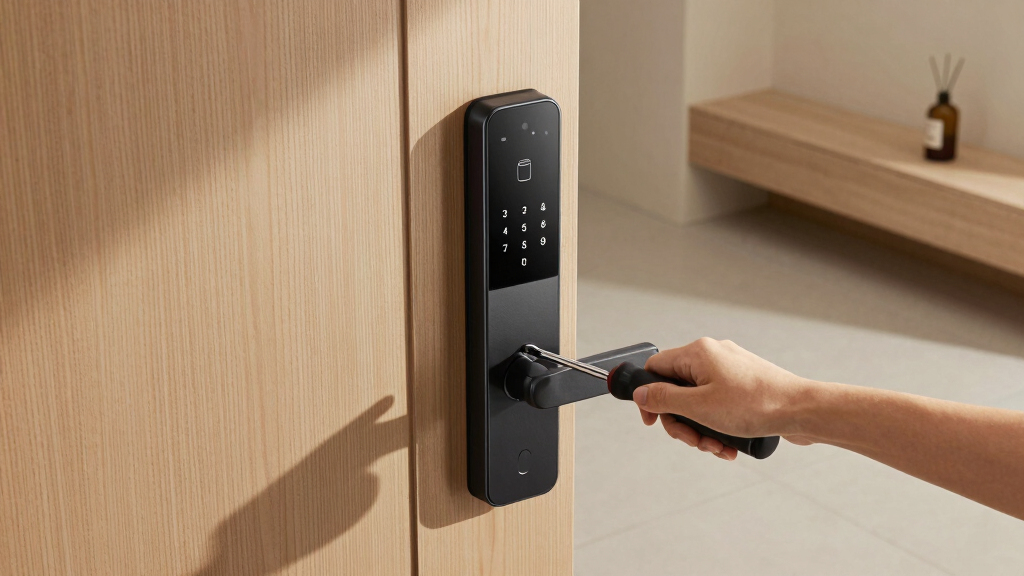
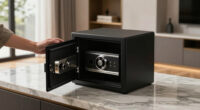
Choosing the best premium smart lock for your front door involves balancing advanced security features, seamless usability, and smart home compatibility. The Schlage Encode stands out as the overall top pick thanks to its robust Wi-Fi connectivity and easy integration. For those seeking advanced biometric access, the eufy Security FamiLock S3 Max offers palm vein recognition, though it comes with a higher price tag. Many premium models trade off between sophisticated features and ease of installation or cost. Continue reading for a detailed breakdown of each option and what makes them unique in this premium segment.
Key Takeaways
- The top-ranked models combine strong security features with seamless app control and smart home compatibility.
- Biometric options like fingerprint and palm vein recognition are available but tend to increase price and complexity.
- Wi-Fi capability is essential for remote access, but it often adds to installation complexity and cost.
- Build quality and BHMA grade vary significantly, impacting durability and security level.
- Pricing in this category often reflects advanced features; buyers should weigh their specific needs against the premium price.


More Details on Our Top Picks
Schlage Encode Smart Wi-Fi Deadbolt Lock with Touchscreen Keypad, Keyless Front Door Entry, App Control, Alexa, Google Home and Airbnb Compatible, Matte Black, BE489WB CEN 622
This lock stands out for its seamless integration with Wi-Fi, allowing control and monitoring from anywhere, which makes it ideal for busy homeowners or frequent travelers. Compared to the Philips Wi-Fi Smart Lock with Handle, it offers a more streamlined app experience and a more secure encrypted connection, though it does lack the biometric options of the Philips model. Its strength lies in managing up to 100 access codes and real-time notifications, providing peace of mind, especially for Airbnb hosts or large families. The fingerprint-resistant touchscreen and high certification ratings make it highly durable and secure, but the installation, while straightforward, may require some patience for perfect fitting. Its reliance on four AA batteries, with a six-month lifespan, is a minor inconvenience for those wanting a truly wireless, maintenance-free experience. This pick is best suited for homeowners seeking a premium, reliable, and feature-rich Wi-Fi lock that integrates with smart home systems.
Pros:- Excellent Wi-Fi connectivity for remote control and monitoring
- High security with encrypted connection and BHMA certification
- Manage up to 100 access codes for flexibility
Cons:- Requires four AA batteries, which need replacing every six months
- Fingerprint-resistant touchscreen may still be vulnerable to smudges
Best for: Homeowners who want a high-security, Wi-Fi-enabled lock with extensive access management features.
Not ideal for: Renters or renters who prefer battery-free, wired, or simpler mechanical locks with fewer electronic components.
- Connectivity Protocol:Wi-Fi
- Control Method:App, Touch
- Smart Home Compatibility:Alexa, Google Home
- Color:Matte Black
- Material:Zinc Finish
- Battery Type:4 AA Batteries
- Battery Life:Up to 6 months
- Installation:Standard Door
Bottom line: This lock makes the most sense for homeowners who prioritize security and smart home integration in a premium package.
LOCKSTAR® Smart Door Lock • Keyless Entry Deadbolt Door Lock • Multiple Entry Methods – APP • Fingerprint Touch ID • Keypad Code • Card FOB • Traditional Key • Smart Home Devices
This model excels in offering a versatile array of access methods, including fingerprint, keypad, app, and traditional key, making it highly adaptable for different users, especially renters or multi-occupant households. Compared with the Schlage Encode, it lacks some of the high-end security certifications but compensates with its broad compatibility and affordable price point. The auto-lock feature and real-time event notifications make it convenient for busy households or property managers who need control from afar. Its straightforward installation, using just a screwdriver, appeals to DIY enthusiasts, though it is slightly bulkier in design, which might be a concern for aesthetic-focused homeowners. The battery life is good, but its reliance on a Wi-Fi bridge for app control could be a drawback for those seeking an entirely wireless setup. This pick is ideal for users wanting a flexible, multi-entry smart lock that balances affordability with a wide range of access options.
Pros:- Multiple entry methods including fingerprint, keypad, app, and traditional key
- Auto-lock feature enhances convenience and security
- Complete set with included hardware for easy DIY installation
Cons:- Requires a Wi-Fi bridge for app control, adding complexity
- Bulkier design may impact aesthetic integration with some doors
Best for: Rental property owners or multi-occupant households needing multiple access methods at an affordable premium level.
Not ideal for: Homeowners seeking a sleek, minimalistic design or those who prefer a Wi-Fi lock without additional hubs or bridges.
- Entry Methods:App, Fingerprint, Keypad, Card, Key
- Control Protocol:Wi-Fi
- Compatible Devices:Smart Home Devices
- Color:Black
- Material:Metal
- Battery Type:Not specified
- Battery Life:Not specified
- Installation:DIY
Bottom line: This lock makes the most sense for users wanting a highly versatile, multi-entry premium lock at a competitive price point.
TEEHO TE001 Keyless Entry Door Lock with Keypad – Smart Deadbolt Lock for Front Door with 2 Keys – Auto Lock – Easy Installation – Satin Nickel
This lock offers a straightforward keypad entry with 20 user codes and a simple installation process, making it suitable for those new to smart locks or who prefer a backup physical key. Compared to high-end Wi-Fi models like Philips or Schlage, it lacks remote app control but provides reliable keypad access and a sturdy aluminum alloy construction with weather resistance. Its auto-lock feature and low battery indicator add to everyday convenience, especially for users seeking a basic upgrade to traditional deadbolts without complex connectivity. The lock’s compatibility is limited to doors with 2-1/8″ holes, which might restrict some users. While the lock is easy to install and offers a decent security level, it does not include Wi-Fi or Bluetooth, making it less suitable for those wanting remote control. This pick is best for users seeking a reliable, easy-to-use keypad lock with a manual backup and basic smart features.
Pros:- Simple keypad with 20 user access codes
- Auto-lock feature for convenience
- Weather-resistant and sturdy design
Cons:- No remote app control or smart home integration
- Limited compatibility with only specific door hole sizes
Best for: First-time smart lock buyers or those wanting a simple, reliable keypad lock with physical backup keys.
Not ideal for: Tech-savvy users desiring remote control, app management, or integration with smart home systems.
- Lock Type:Keypad, Deadbolt
- Control Method:Keypad, Manual Keys
- Material:Aluminum Alloy
- Weather Resistance:IP54
- Auto Lock:Yes
- Battery Life:Up to 365 days
- Installation:2-1/8″ door hole
- Color:Satin Nickel
Bottom line: This lock makes the most sense for users seeking a straightforward, reliable keypad lock with minimal fuss and a physical backup key.
Philips Wi-Fi Smart Lock with Handle, Keyless Entry Keypad Door Lock with Handle, Front Door Deadbolt Set with WiFi Gateway, App Control, Fingerprint Unlock, PIN Code Unlock, Auto Locking
This model is distinguished by its integrated handle and biometric fingerprint unlocking, making it ideal for users who want a sleek, integrated look with fast access. Compared to the Schlage Encode, it offers fingerprint recognition and a handle design, which can improve usability and aesthetics, though it may lack the extensive access code management of other locks. Its compatibility with smart home devices via Wi-Fi and the inclusion of a Wi-Fi gateway make remote control simple, but the bulkier design might be less appealing for those preferring a minimalist aesthetic. The lock’s high weight and robust metal construction suggest durability, but installation can be slightly more involved due to its size and handle integration. Its biometric feature allows unlocking in just 0.3 seconds, appealing to those prioritizing speed and security. This pick is best for homeowners wanting a premium, biometric-enabled lock with a handle for a seamless look and quick access.
Pros:- Fast fingerprint unlocking in 0.3 seconds
- Integrated handle for a sleek, modern look
- Wi-Fi connectivity with app control and remote access
Cons:- Heavier and bulkier, which may affect aesthetic compatibility
- Higher price point due to biometric features and handle design
Best for: Homeowners seeking a premium, biometric-enabled lock with a handle for quick access and modern aesthetic.
Not ideal for: Users who prefer a lightweight, minimalist lock or do not need biometric features.
- Control Method:App, Fingerprint, Keypad
- Connectivity Protocol:Wi-Fi
- Material:Metal
- Auto Lock:Yes
- Weight:Approx. 3.08 kg
- Installation:Standard Door
- Color:Matte Black
- Biometric Unlock Speed:0.3 seconds
Bottom line: This lock is best suited for users wanting a premium, biometric-enabled lock with a handle for enhanced style and quick access.
Philips WiFi Keypad Door Lock with Handle, Built-in WiFi, APP Remote Control, Voice & Fingerprint Unlock, Smart Locks for Front Door with Auto Lock, Digital Front Door Lock Set, Keyless Entry Deadbolt
This lock combines a handle design with multiple unlocking options, including app, voice, fingerprint, and keypad, making it highly versatile for various users and household configurations. Compared to the Philips Wi-Fi Smart Lock with Handle, it emphasizes a broader range of access methods, suitable for tech-savvy families or those who want maximum flexibility. Its built-in Wi-Fi and app management allow remote control and real-time access logs, while the auto-lock feature reduces the risk of forgetting to lock up. The sleek handle and modern appearance enhance curb appeal, though the installation may require some attention to ensure proper fit on different door types. Compatibility is for most standard doors, but the setup process might be slightly more involved for less experienced users. This lock is best for homeowners who want a feature-rich, versatile smart lock with a handle for a seamless, modern look and multiple access options.
Pros:- Multiple unlocking options including app, fingerprint, voice, and keypad
- Auto-lock feature for security and convenience
- Built-in Wi-Fi for remote management without extra hub
Cons:- Installation may be complex for some door types
- Larger handle size might not suit all aesthetic preferences
Best for: Tech-savvy homeowners or families wanting a versatile, handle-based smart lock with multiple unlocking methods and remote management.
Not ideal for: Users seeking a simple keypad lock or those preferring a more traditional or minimalist lock design.
- Entry Methods:App, Fingerprint, Voice, Keypad
- Control Protocol:Wi-Fi
- Material:Metal
- Auto Lock:Yes
- Installation:Standard Door
- Color:Matte Black
- Control Method:Remote, Voice, Biometric, Keypad
- Compatibility:Most standard doors
Bottom line: This lock makes the most sense for users wanting an all-in-one, versatile premium lock with handle and extensive control features.
Philips Wi-Fi Door Lock, WiFi Smart Lock Keyless Entry Deadbolt for Front Door, Compatible with Alexa & Google Assistant, Remote Control, Built-in WiFi, APP Fingerprint Passcode Unlock, Auto Locking
This Philips Wi-Fi lock distinguishes itself with its unmatched flexibility in unlocking methods, supporting app control, fingerprint, passcode, physical key, and voice commands via Alexa or Google Assistant. Its built-in Wi-Fi enables remote access without an extra hub, making it ideal for busy households or frequent travelers. Compared with the eufy C220, it offers more diversified unlocking options, especially voice control, but lacks a door sensor, which could compromise its security if auto-locking fails. The installation is straightforward for most standard doors, and the ability to create up to 100 passcodes is especially convenient for larger families or rentals. However, it only supports 2.4 GHz networks, which could limit connectivity in some setups, and batteries are not included, adding to initial setup considerations. This pick makes the most sense for users prioritizing convenience, device compatibility, and remote management with a flexible access system.
Pros:- Supports multiple unlocking methods including fingerprint, passcode, app, voice, and physical key
- Built-in Wi-Fi enables remote control without hub
- Creates up to 100 custom passcodes for family, guests, or renters
- Auto-lock feature enhances security when rushing out
Cons:- Limited to 2.4 GHz Wi-Fi networks, reducing flexibility in some homes
- No door sensor included, risking missed auto-lock events
- Batteries not included, requiring additional purchase
Best for: Tech-savvy homeowners who want maximum unlocking options and remote control capabilities.
Not ideal for: Users with complex smart home setups requiring Zigbee or Z-Wave integration, as this lock is Wi-Fi only.
- Connectivity:Wi-Fi (2.4GHz)
- Unlock Methods:App, fingerprint, passcode, physical key, voice
- Max Passcodes:100
- Auto Lock Timing:10-180 seconds
- Installation Compatibility:Door thickness 1-3/8″ to 2″
- Power Source:4 AA batteries (not included)
Bottom line: This lock suits households seeking a highly flexible, remote-controlled premium lock with extensive access options and voice integration.
eufy Security Smart Lock C220, Fingerprint Keyless Entry Door Lock, Built-in Wi-Fi, App Remote Control, Front Door Smart Lock Deadbolt, 8Months Battery, Reliable Power, IP53 Waterproof, BHMA Grade 3
The eufy C220 stands out for its impressive battery life, lasting around 8 months on a single set of 8 AA batteries, which reduces maintenance concerns. Its self-learning AI fingerprint recognition enhances reliability, making fingerprint access seamless over time, a step above many competitors like the Philips lock. Control from anywhere via the integrated Wi-Fi and eufy Security app adds convenience, especially for those who prefer app-based management without extra hubs. Installation is quick and straightforward, suitable for most standard deadbolts, and its IP53 waterproof rating ensures durability outdoors. However, it is rated BHMA Grade 3, slightly below Grade 1 or 2 for commercial-grade security, and it lacks voice control compatibility for Amazon Alexa or Google. This makes it ideal for users prioritizing long-lasting power, easy setup, and robust fingerprint recognition at a reasonable price point.
Pros:- Long-lasting 8-month battery life reduces frequent replacements
- Self-learning AI improves fingerprint recognition accuracy over time
- Easy installation compatible with most standard deadbolts
- IP53 rated for outdoor durability
Cons:- Limited to BHMA Grade 3, offering less security than premium Grade 1 locks
- Lacks voice assistant support, reducing hands-free convenience
- No door sensor included, risking missed auto-lock events
Best for: Homeowners seeking reliable fingerprint access and long battery life with easy app control.
Not ideal for: Users who need voice commands or integration with more advanced home automation platforms like Zigbee or Z-Wave.
- Battery Life:8 months
- Connectivity:Wi-Fi
- Max Fingerprints:Self-learning recognition
- Water Resistance:IP53
- Security Grade:BHMA Grade 3
- Installation:Standard deadbolt
Bottom line: This lock is ideal for users who want a dependable, long-lasting fingerprint lock with straightforward app control and robust outdoor durability.
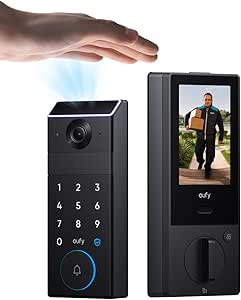
eufy Security Smart Lock FamiLock S3 Max with Palm Vein Recognition, Keyless Entry Front Door Lock, Wi-Fi Keypad Deadbolt+ 2K HDR Doorbell Camera, 16GB Built‑in Storage, BHMA 1, Rear Lock Video Screen
The FamiLock S3 Max offers cutting-edge palm vein recognition with 99.9% accuracy, providing a high level of forgery-proof biometric security that surpasses fingerprint systems like the eufy C220. Its quick 0.6-second recognition and private storage of vein data make it ideal for security-conscious households. The integrated 2K HDR camera and rear lock video screen provide visual monitoring and easy, app-free access for elderly or children, making it accessible for less tech-savvy users. The device supports seamless home automation via Matter and Apple Home, integrating smoothly with smart ecosystems. Its rechargeable battery lasts around 4 months, with emergency AAA batteries included, ensuring continuity during outages. However, the complexity of palm vein recognition may not appeal to all, and the device is larger and heavier, potentially less suitable for smaller doors. This lock is best for those seeking biometric security at the highest level combined with all-in-one monitoring features.
Pros:- Palm vein recognition with 99.9% accuracy and rapid 0.6-second unlock
- Built-in 2K HDR camera and rear lock screen for visual monitoring
- Supports Matter and Apple Home for seamless automation
- Includes emergency AAA batteries for backup power
Cons:- Larger, heavier design may not fit smaller or thinner doors
- Palm vein setup and recognition may be complex for some users
- Higher price point compared to fingerprint or passcode-only locks
Best for: Security-minded families who prioritize biometric authentication and integrated surveillance in a user-friendly package.
Not ideal for: Homeowners seeking a simple lock with basic features or those with small doors where space is limited.
- Recognition Method:Palm vein
- Unlock Speed:0.6 seconds
- Camera:2K HDR
- Storage:16GB built-in
- Power Supply:Rechargeable battery, AAA backup
- Home Integration:Matter, Apple Home
Bottom line: This lock offers top-tier biometric security with integrated surveillance features, ideal for households seeking the highest level of biometric assurance and easy visual access.
How We Picked
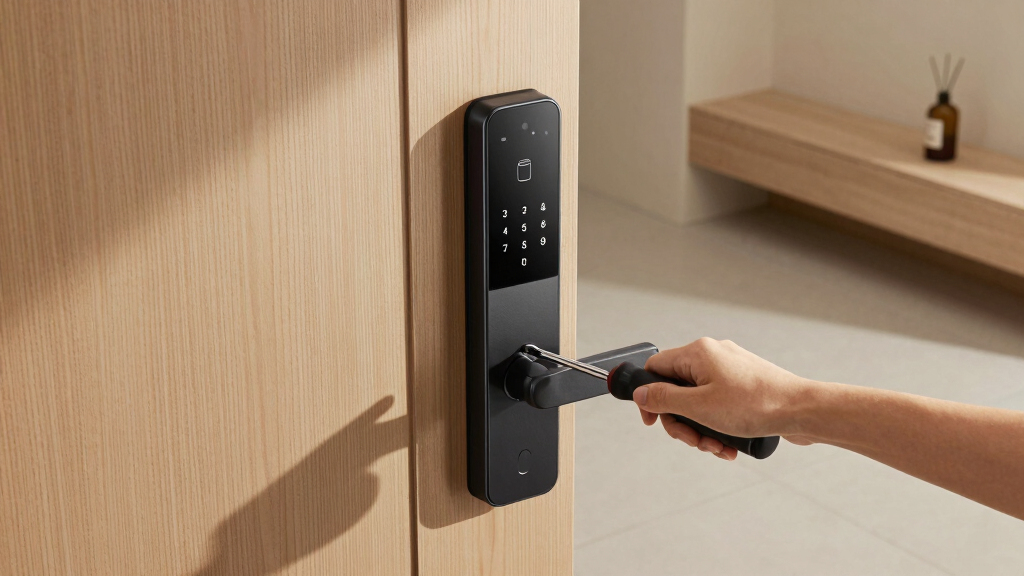
The products in this roundup were selected based on their overall performance, build quality, security features, ease of installation, and smart home integration. Priority was given to locks with Wi-Fi connectivity, durable construction, and user-friendly interfaces. We also considered additional features like biometric access and auto-locking capabilities, which enhance convenience and security. Each product was evaluated for its value in the premium segment, ensuring they offer distinctive advantages that justify their higher price points. The ranking reflects a balance between advanced features, reliability, and ease of use, helping buyers find options that match their specific front door security needs.Factors to Consider When Choosing Best Premium Smart Lock For Front Door
When selecting a premium smart lock for your front door, several key factors should influence your decision. Beyond basic security, consider how the lock integrates with your existing smart home system, the ease of installation, and the user experience. Premium models often come with advanced features that can offer greater convenience but may also introduce complexity or higher costs. Understanding these tradeoffs will help you choose a lock that aligns with your security priorities and tech preferences.Security Features and Certification
Premium locks should meet high security standards, ideally with BHMA Grade 1 certification, indicating top durability and resistance to tampering. Consider whether the lock offers multi-factor authentication options, such as biometric access or keypad codes, and if it has features like auto-locking or alarm notifications. These features enhance security but also vary in complexity and cost, so align them with your specific threat concerns and convenience needs.
Smart Home Compatibility and Connectivity
Compatibility with Alexa, Google Assistant, or other smart home ecosystems can significantly simplify control and automation. Wi-Fi connectivity is usually preferred for remote access, but it can introduce vulnerabilities if not properly secured. Some locks include built-in Wi-Fi, while others require a separate hub or gateway. Evaluate your existing setup to ensure seamless integration and consider how much control you want via apps or voice commands.
Installation and Maintenance
Ease of installation varies widely; some premium locks are designed for straightforward DIY setup, while others may require professional installation. Consider the lock’s physical dimensions, compatibility with your door type, and whether it replaces existing hardware easily. Maintenance involves battery life, firmware updates, and physical durability, so opt for models with reliable power sources and straightforward upkeep to avoid future headaches.
Price and Value
Premium smart locks often come at a premium price, reflecting their advanced features and build quality. While investing more can yield better durability and security, it’s important to match features with your actual needs. Look for models that offer the best balance of security, convenience, and integration without overspending on features you won’t use. Sometimes, paying a little more upfront can save on future replacements or upgrades.
Design and Aesthetics
The look and feel of your lock should complement your front door and overall home style. Many premium options come in various finishes like matte black, satin nickel, or bronze, allowing you to match existing hardware. Remember that more sophisticated-looking designs may include bulkier components, which could affect installation or aesthetics. Choose a model that balances form and function for your home’s exterior appearance.
Frequently Asked Questions
Can I install a premium smart lock myself, or do I need professional help?
Many premium smart locks are designed for DIY installation, especially those with standard door compatibility and straightforward instructions. However, some models—particularly those with complex wiring, biometric systems, or specific door types—may benefit from professional installation. If you’re unsure about your skills or want to ensure optimal security and functionality, hiring a professional can be a worthwhile investment, especially for high-end models with advanced features.
Will a premium smart lock work if I lose power or Wi-Fi connection?
Most premium locks include backup options such as physical keys or battery-powered keypad access to maintain security during power or connectivity outages. Some models also support keypad or biometric entry that doesn’t rely on Wi-Fi, ensuring access even if your internet is down. It’s essential to verify these backup features before purchase so you’re not locked out due to technical issues.
Are biometric options like fingerprint or palm vein recognition reliable enough for everyday use?
Biometric features in premium locks are generally quite reliable, with high accuracy rates and quick recognition times. Palm vein recognition, as used in some models, offers an added layer of security and convenience. However, environmental factors like dirt, moisture, or injuries can occasionally affect performance. Consider whether biometric access suits your household and whether you prefer multiple entry methods to accommodate different users or situations.
How secure are Wi-Fi smart locks against hacking?
Wi-Fi smart locks, especially premium models, incorporate multiple security protocols to protect against hacking, such as encrypted communications and two-factor authentication. Regular firmware updates are critical to patch vulnerabilities. Choosing a lock with a reputable security track record and ensuring your home Wi-Fi network is secured with strong passwords will further reduce risks. While no system is completely immune, these precautions make hacking highly unlikely.
What should I prioritize: advanced features or simplicity of use?
Deciding between advanced features and simplicity depends on your lifestyle and security preferences. If you value maximum control, remote access, biometric entry, and automation, then prioritizing feature-rich models makes sense. Conversely, if you prefer straightforward operation with minimal fuss, a simpler, more intuitive lock may serve you better. Consider how often you’ll use the lock, your tech comfort level, and whether additional features genuinely enhance your daily routine.
Conclusion
For most homeowners seeking the best overall premium smart lock, the Schlage Encode provides a winning combination of security, ease of use, and smart home compatibility. Those with a focus on cutting-edge biometric access might lean toward the eufy Security FamiLock S3 Max, despite its higher cost. If your priority is straightforward installation and reliable remote control, models like the Philips Wi-Fi locks are excellent choices. Beginners or those upgrading from mechanical locks should consider models with simple interfaces, while security enthusiasts may prefer BHMA Grade 1-certified options. Ultimately, your choice should align with your home’s security needs, tech setup, and aesthetic preferences.