
Finding the best MacBook Air deals in 2027 requires balancing cutting-edge M5 performance with the exceptional value of renewed M4 and M3 models. My top overall pick is the Apple 2026 MacBook Air 13-inch with M5 chip, which offers future-proof AI capabilities and Wi-Fi 7 for long-term use. For budget-conscious buyers, the Apple 2024 MacBook Air 13-inch with M3 chip remains a sweet spot, delivering 90% of the daily performance at a fraction of the cost. The main tradeoff you face is between raw processing power for heavy workflows and the significant savings found in certified refurbished units. Continue reading to see how these fifteen options stack up in terms of memory, storage, and display size to help you make the right choice.

Get your next haul delivered free with Prime
- Fast, free delivery on millions of items
- Prime Video, Amazon Music and more included
- Member-only deals all year
Key Takeaways
- The M5 chip is currently only available in new 2026 models, while renewed options are limited to M4 or older chips, creating a clear divide between new tech and value.
- 16GB of unified memory has become the practical minimum for any MacBook Air deal in 2027, as 8GB configurations are now too restrictive for multitasking.
- Renewed 15-inch M4 models offer the best screen-to-value ratio, providing a larger workspace for creative tasks without the premium price of the 13-inch M5.
- The M1 chip remains viable for basic tasks but lacks the efficiency and software support longevity of M3 and M4 chips, making it a risky long-term buy.
- Storage upgrades to 512GB or 1TB are more cost-effective on renewed models than on new units, where Apple charges a premium for increased capacity.


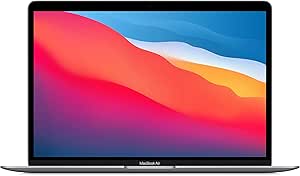


| MacBook Air deal | Memory | Storage | Display | Condition |
|---|---|---|---|---|
| Apple 2025 MacBook Air with Ap | 16GB Unified Memory | 256GB SSD | 13.6-inch Liquid Retina | Renewed |
| Apple 2026 MacBook Air 13-inch | 16GB Unified Memory | 512GB SSD | 13.6-inch Liquid Retina | New |
| Apple 2025 MacBook Air 15-inch | 16GB Unified Memory | 512GB SSD | 15.3-inch Liquid Retina | Renewed |
| Apple 2024 MacBook Air 13-inch | 16GB Unified Memory | 256GB SSD | 13.6-inch Liquid Retina | Renewed |
| Apple 2024 MacBook Air 13-inch | 16GB Unified Memory | 512GB SSD | 13.6-inch Liquid Retina | Renewed |
| Apple MacBook Air 15-inch | 16GB unified memory | 512GB SSD | 15.3-inch Liquid Retina | — |
| Apple MacBook Air 15-inch | 24GB | 512GB SSD | 15.3-inch Liquid Retina, 2880 × 1864 resolution | Renewed |
| Apple MacBook Air Late 2020 wi | 8GB RAM | 256GB SSD | 13.3-inch Retina | Renewed |
| Apple 2025 MacBook Air with Ap | 16GB Unified Memory | 256GB SSD | 15.3-inch Liquid Retina | Renewed |
| 2024 Apple MacBook Air 13.6-in | 24GB unified memory | 512GB SSD | 13.6-inch Liquid Retina | — |
| Apple MacBook Air 2024 with M3 | 16GB unified memory | 1TB SSD | 13.6-inch Liquid Retina, 2560 × 1664 pixels | Renewed |
| 2025 Apple MacBook Air 15-inch | 16GB unified memory | 256GB SSD | 15.3-inch Liquid Retina, 2880 × 1864 resolution | Renewed |
| Apple 2025 MacBook Air 15-inch | 16GB unified memory | 256GB SSD | 15.3-inch Liquid Retina | Renewed |
| Apple MacBook Air 15-inch with | 24GB | 512GB SSD | 15.3-inch Liquid Retina | Renewed |
| Apple MacBook Air 13.6-Inch | 16GB unified memory | 1TB SSD | 13.6-inch Liquid Retina | Renewed |
More Details on Our Top Picks
Apple 2025 MacBook Air with Apple M4 Chip 13-inch (Renewed)
This renewed 13-inch model offers the sweet spot for buyers who want the latest M4 architecture without paying for extra storage or the larger screen. The M4 chip delivers significantly better performance than the M3 found in the Apple 2024 MacBook Air 13-inch, particularly for multitasking and AI-driven tasks supported by Apple Intelligence. However, the 256GB SSD is a major constraint; if you store large media libraries locally, you will need external drives or cloud subscriptions. Compared to the newer M5 models, this machine lacks the latest Wi-Fi 7 and Center Stage camera upgrades, but for general productivity, it remains a powerhouse. It is an excellent choice for students or writers who prioritize processing speed over massive local storage.Pros:- Latest M4 chip architecture for superior speed
- Ultra-portable 13-inch form factor
- Supports Apple Intelligence features
- Significantly cheaper than new retail units
Cons:- 256GB SSD fills up quickly with modern apps
- Renewed status limits warranty coverage
- Lacks newer connectivity standards like Wi-Fi 7
Best for: Students and writers who need high processing power for multitasking but rely on cloud storage.
Not ideal for: Photographers and video editors who require large local storage for high-res files.
- Processor:Apple M4 Chip
- Memory:16GB Unified Memory
- Storage:256GB SSD
- Display:13.6-inch Liquid Retina
- Battery Life:Up to 18 hours
- Weight:1.24 kg
- Condition:Renewed
- OS:macOS Sequoia
Our verdict“Choose this if you want the fastest current-generation processor in the most portable size at a reduced cost.”
Apple 2026 MacBook Air 13-inch with M5 chip (New)
As the newest entrant, this M5-equipped MacBook Air stands out by integrating next-generation AI capabilities and Wi-Fi 7 connectivity. Unlike the Apple 2025 MacBook Air with Apple M4 Chip, this model doubles the base storage to 512GB, addressing the primary complaint of entry-level Macs. The inclusion of a 12MP Center Stage camera makes it far superior for remote work and video conferencing compared to the older FaceTime HD cameras found in previous generations. While it is more expensive than renewed options, the new hardware warranty and longer software support window make it the most secure investment. It balances portability with modern connectivity, ensuring it remains relevant for years longer than its predecessors.Pros:- Newest M5 chip with enhanced Neural Engine
- 512GB base storage eliminates immediate upgrade needs
- Superior 12MP Center Stage camera for video calls
- Future-proof Wi-Fi 7 and Bluetooth 6 connectivity
Cons:- Higher price point compared to renewed models
- M5 performance gains may be marginal for basic users
- Only two Thunderbolt ports limit peripheral options
Best for: Professionals who need top-tier connectivity, better cameras, and long-term software support.
Not ideal for: Budget-conscious buyers who do not need Wi-Fi 7 or the latest camera hardware.
- Processor:Apple M5 Chip
- Memory:16GB Unified Memory
- Storage:512GB SSD
- Display:13.6-inch Liquid Retina
- Camera:12MP Center Stage
- Connectivity:Wi-Fi 7, Bluetooth 6
- Condition:New
- Warranty:Manufacturer Standard
Our verdict“The definitive choice for those wanting the latest technology, best camera, and ample storage out of the box.”
Apple 2025 MacBook Air 15-inch with M4 chip (Renewed)
This 15-inch model provides a substantial workspace advantage over the 13-inch Apple 2025 MacBook Air with Apple M4 Chip without sacrificing the efficiency of the M4 architecture. The 15.3-inch Liquid Retina display is ideal for split-screen workflows, allowing you to view documents and reference materials simultaneously. With 512GB of SSD storage, it avoids the cramped feeling of the 256GB base models, making it a more versatile daily driver. However, the larger screen adds weight and reduces portability slightly compared to the 13-inch variants. It is a renewed unit, so while the hardware is current, the warranty is limited. This machine is perfect for those who find the 13-inch screen too cramped for professional productivity.Pros:- Massive 15.3-inch display for better multitasking
- 512GB storage handles large projects comfortably
- Efficient M4 chip maintains battery life despite size
- Includes power adapter and charging cable
Cons:- Heavier and bulkier than 13-inch models
- Renewed status means limited warranty support
- Integrated graphics may struggle with heavy 3D rendering
Best for: Office workers and multitaskers who need screen real estate for side-by-side applications.
Not ideal for: Frequent travelers who prioritize the smallest possible footprint and lightest weight.
- Processor:Apple M4 Chip (10-core)
- Memory:16GB Unified Memory
- Storage:512GB SSD
- Display:15.3-inch Liquid Retina
- Battery Capacity:66.5 watt-hours
- Weight:1.51 kg
- Condition:Renewed
- Warranty:90-day limited
Our verdict“A balanced choice for productivity-focused users who want a large screen and decent storage at a discounted price.”
Apple 2024 MacBook Air 13-inch with M3 chip (Renewed)
This model represents the most affordable way to enter the modern MacBook Air ecosystem. While the M3 chip is a generation behind the M4 and M5, it remains exceptionally capable for web browsing, document editing, and media consumption. Compared to the Apple 2025 MacBook Air with Apple M4 Chip, this unit lacks the latest AI acceleration features, but the performance difference is negligible for casual users. The 256GB SSD is the primary drawback, requiring disciplined file management or cloud reliance. It is an ideal solution for students or home users who need a reliable, lightweight laptop but have a strict budget. The renewed condition offers a significant discount, making it a low-risk entry into the Apple ecosystem.Pros:- Most affordable entry into current-gen MacBook Airs
- M3 chip is still highly efficient for daily tasks
- Ultra-portable 1.24kg weight
- Solid build quality and display color accuracy
Cons:- 256GB storage is very limited for modern standards
- Older M3 chip lacks M4/M5 AI capabilities
- 90-day warranty on renewed units
Best for: Budget-conscious students and casual users who need a reliable machine for basic tasks.
Not ideal for: Power users or professionals who need the latest AI features or large local storage.
- Processor:Apple M3 Chip (8-core CPU)
- Memory:16GB Unified Memory
- Storage:256GB SSD
- Display:13.6-inch Liquid Retina
- Camera:1080p FaceTime HD
- Weight:1.24 kg
- Condition:Renewed
- Warranty:90-day limited
Our verdict“The smartest financial choice for those who want a modern MacBook experience without paying for unnecessary power.”
Apple 2024 MacBook Air 13-inch with M3 Chip, 512GB SSD (Renewed)
This configuration fixes the storage bottleneck of the base M3 model by doubling capacity to 512GB. It offers a significant advantage over the Apple 2024 MacBook Air 13-inch with M3 chip, 256GB SSD for users who install professional software or keep large project files locally. While the M3 chip is older than the M4, the 10-core GPU in this specific SKU provides better graphical performance for light video editing or gaming compared to the base 8-core GPU variants. It strikes a compelling balance between cost and utility. However, you are still paying a premium for the storage upgrade compared to buying a smaller model and adding an external drive. It is best suited for freelancers who need a self-contained workhorse.Pros:- 512GB storage reduces reliance on external drives
- 10-core GPU offers better graphical performance
- M3 chip remains highly efficient and cool-running
- Includes essential charging accessories
Cons:- Higher cost than 256GB variants for same processor
- Renewed warranty is shorter than new products
- Only two ports limits dongle-free usage
Best for: Freelancers and light creators who need ample local storage without upgrading to the 15-inch size.
Not ideal for: Users who prefer cloud-only workflows and want to minimize upfront hardware costs.
- Processor:Apple M3 Chip (8-core CPU)
- Graphics:10-core GPU
- Memory:16GB Unified Memory
- Storage:512GB SSD
- Display:13.6-inch Liquid Retina
- Battery:52.6 watt-hours
- Condition:Renewed
- Warranty:90-day limited
Our verdict“An excellent middle-ground option for professionals who need storage capacity and a stronger GPU in a compact frame.”
Apple MacBook Air 15-inch (2026) with M5 Chip, 16GB Memory, 512GB SSD — Midnight
This model stands out as the best future-proof option for buyers prioritizing longevity over immediate savings. The Apple M5 chip and Wi-Fi 7 support position it ahead of the 2025 M4 models, offering better headroom for upcoming macOS updates and AI-driven applications. Compared to the renewed M4 15-inch options, this new unit guarantees a full warranty and pristine condition, which is critical for high-value electronics. However, the 16GB unified memory is a point of contention; while sufficient for most users, it lacks the multitasking cushion found in the 24GB renewed alternatives. If you plan to keep this machine for five years or more, the newer architecture justifies the premium over last-generation deals.
Pros:- Latest M5 chip architecture ensures long-term software compatibility
- Wi-Fi 7 and Bluetooth 6 support for future-proof connectivity
- New condition includes full manufacturer warranty and support
- 15.3-inch Liquid Retina display offers superior screen real estate
Cons:- 16GB RAM may limit heavy multitasking compared to 24GB renewed options
- Higher price point than comparable renewed M4 models
- Only two Thunderbolt ports require dongles for many accessories
Best for: Professionals and power users who want the latest architecture, longest software support window, and a new-device warranty.
Not ideal for: Budget-conscious buyers who can tolerate renewed condition for significant savings, as the M4 models offer similar daily performance.
- Chip:Apple M5
- Display:15.3-inch Liquid Retina
- Memory:16GB unified memory
- Storage:512GB SSD
- Wireless:Wi-Fi 7, Bluetooth 6
- Battery life:Up to 18 hours
- Weight:3.32 pounds
Our verdict“Choose this if you want the latest technology and a new warranty, accepting a higher cost for longer relevance.”
Apple MacBook Air 15-inch (2025) with M4 Chip, 24GB RAM, 512GB SSD, Starlight (Renewed)
This renewed unit is my best high-memory value pick because it balances the large 15-inch screen with 24GB of RAM. While the M5 model offers newer connectivity, the M4 chip remains incredibly capable for video editing and development tasks. The 24GB memory is a decisive advantage over the standard 16GB configurations, allowing you to keep dozens of browser tabs and creative apps open without slowdowns. Unlike the 13-inch renewed models, this provides ample screen real estate for split-screen workflows. The tradeoff is the renewed condition, which may involve minor cosmetic wear, and the lack of Wi-Fi 7. For buyers who need power and screen space without paying new-unit prices, this is the sweet spot.
Pros:- 24GB unified memory supports heavy multitasking and professional apps
- Large 15.3-inch display enhances productivity and media consumption
- M4 chip delivers excellent performance for creative workflows
- Renewed condition offers significant savings over new equivalents
Cons:- Renewed status means no full Apple warranty and potential cosmetic wear
- Lacks Wi-Fi 7 and Bluetooth 6 found in the newer M5 model
- Two Thunderbolt ports can feel limiting for complex setups
Best for: Video editors, developers, and multitaskers who need more than 16GB of RAM and prefer a larger display.
Not ideal for: Buyers who insist on a brand-new device or require Wi-Fi 7 for specific enterprise network environments.
- Processor:Apple M4 chip with 10-core GPU
- Display:15.3-inch Liquid Retina, 2880 × 1864 resolution
- Memory:24GB
- Storage:512GB SSD
- Battery life:Up to 18 hours
- Wireless:Wi-Fi 6E, Bluetooth 5.3
- Condition:Renewed
Our verdict“Ideal for power users who want a large screen and extra RAM at a renewed price point.”
Apple MacBook Air Late 2020 with Apple M1 Chip (13.3 inch, 8GB RAM, 256GB SSD) Space Gray (Renewed)
This is the best budget entry point into the Apple ecosystem, leveraging the legendary efficiency of the M1 chip. While it lacks the horsepower of the M4 or M5 models, it handles web browsing, office suites, and media consumption with surprising ease. Compared to the newer 13-inch M3 or M4 models, this unit sacrifices screen size, brightness, and RAM (only 8GB), but it remains fully supported by current macOS versions. It is significantly smaller and lighter than the 15-inch options, making it highly portable. However, the 256GB storage is restrictive, and the older design features thicker bezels. This is strictly for those with tight budgets who need basic functionality rather than future-proofing.
Pros:- Extremely affordable entry into the Apple Silicon ecosystem
- M1 chip still provides snappy performance for daily tasks
- Compact 13.3-inch size is highly portable and lightweight
- Silent operation due to fanless design
Cons:- Only 8GB RAM limits multitasking and app longevity
- 256GB storage fills up quickly without external drives
- Older design has thicker bezels and lower display brightness
Best for: Students and first-time Mac users with tight budgets who primarily use web browsers and document apps.
Not ideal for: Creative professionals or gamers, as 8GB RAM and integrated graphics struggle with demanding software.
- Chip:Apple M1
- Display:13.3-inch Retina
- Memory:8GB RAM
- Storage:256GB SSD
- Model Year:Late 2020
- Weight:2.8 pounds
- Condition:Renewed
Our verdict“A solid starter machine for basic users, but not suitable for intensive workflows or long-term heavy use.”
Apple 2025 MacBook Air with Apple M4 chip (15-inch, 16GB Unified Memory, 256GB SSD Storage) (QWERTY English) Midnight (Renewed)
This renewed model offers the best large-screen balance for users who want modern design without the premium price tag. It features the M4 chip and the same sleek chassis as the new 2026 models, but with 256GB SSD and 16GB RAM. Compared to the M5 15-inch, you lose Wi-Fi 7 and some CPU headroom, but you gain a significant price advantage. Unlike the 13-inch renewed models, this provides a spacious workspace ideal for split-screen productivity. The main drawback is the 256GB storage, which is tight for modern apps and media libraries, likely requiring cloud reliance or external drives. It is a great choice for students or office workers who prioritize screen real estate over raw storage capacity.
Pros:- Modern 15-inch design with thin bezels and high resolution
- M4 chip delivers excellent speed for productivity apps
- Lightweight and portable despite the large screen size
- Renewed condition offers better value than new equivalents
Cons:- 256GB SSD is restrictive for media-heavy users
- 16GB RAM may feel limiting for heavy multitaskers
- Renewed warranty is shorter than new device warranties
Best for: Students and office workers who want a large, modern display and efficient M4 performance on a budget.
Not ideal for: Photographers or video editors, as 256GB storage is insufficient for large media files.
- Chip:Apple M4
- Display:15.3-inch Liquid Retina
- Memory:16GB Unified Memory
- Storage:256GB SSD
- Battery Capacity:66 watt-hours
- Weight:1.51 kg
- Condition:Renewed
Our verdict“Perfect for productivity-focused users who need screen space but don’t store large files locally.”
2024 Apple MacBook Air 13.6-inch with M3 Chip, 24GB RAM, 512GB SSD, Starlight (Renewed)
This renewed 13-inch model is the best compact powerhouse for those who refuse to compromise on memory or storage. It pairs the M3 chip with 24GB RAM and 512GB SSD, outperforming the base configurations of newer models in terms of capacity. While the M4 and M5 chips are faster, the M3 is still exceptionally capable for professional tasks. Compared to the 15-inch renewed models, this unit is significantly more portable, weighing just 2.7 pounds. The tradeoff is the smaller 13.6-inch display, which may feel cramped for detailed spreadsheets or video timelines. This is the ideal choice for travel-heavy professionals who need high specs in a small footprint.
Pros:- 24GB RAM and 512GB SSD offer high capacity for a compact device
- M3 chip provides robust performance for professional applications
- Extremely lightweight at 2.7 pounds for easy travel
- Renewed price makes high specs accessible
Cons:- 13.6-inch screen may be too small for complex multitasking
- Renewed condition carries a 90-day limited warranty
- M3 chip is older than M4/M5, lacking latest AI optimizations
Best for: Frequent travelers and consultants who need high RAM and storage in a highly portable package.
Not ideal for: Users who prefer large screens for multitasking, as the 13.6-inch display is significantly smaller than 15-inch options.
- Processor:Apple M3, 8-core CPU
- Display:13.6-inch Liquid Retina
- Memory:24GB unified memory
- Storage:512GB SSD
- Battery life:Up to 18 hours
- Weight:2.7 pounds
- Warranty:90 days limited
Our verdict“The go-to choice for travelers who need desktop-level specs in a pocket-sized laptop.”
Apple MacBook Air 2024 with M3 Chip, 13.6-Inch Display, 16GB RAM, 1TB SSD, Midnight (Renewed)
This renewed 13-inch model stands out primarily for its 1TB SSD capacity, a rare configuration in the Air lineup that suits users with large media libraries. Compared to the 2025 15-inch M4 model, this device offers significantly more storage out of the box, though it relies on the older M3 chip. The 13.6-inch Liquid Retina display remains sharp, and the 18-hour battery life ensures it lasts through a full workday without charging. However, the renewed condition means you receive a 90-day warranty, which is shorter than new devices, and the Midnight color is prone to showing fingerprints. This option makes the most sense for those who prioritize local file storage over the absolute latest processor performance.
Pros:- Massive 1TB SSD storage reduces the need for external drives
- Proven M3 chip handles multitasking and creative apps efficiently
- Compact 13.6-inch form factor is easy to transport
Cons:- Renewed condition comes with a limited 90-day warranty
- Older M3 chip lacks the AI-focused improvements of newer M4 models
- Midnight finish shows smudges and fingerprints quickly
Best for: Photographers or video editors who need substantial local storage without relying on cloud services.
Not ideal for: Buyers who want the latest M4 architecture or a pristine, unboxed device with a longer warranty.
- Processor:Apple M3, 8-core CPU
- Graphics:10-core GPU
- Memory:16GB unified memory
- Storage:1TB SSD
- Display:13.6-inch Liquid Retina, 2560 × 1664 pixels
- Battery Life:Up to 18 hours
- Weight:2.7 pounds
- Ports:2 Thunderbolt/USB4
- Condition:Renewed
Our verdict“Choose this if you need a portable, high-capacity Mac and can accept a renewed condition for the storage benefits.”
2025 Apple MacBook Air 15-inch with M4 Chip, 16GB RAM, 256GB SSD, Silver (Renewed)
This 15-inch model offers the expansive screen real estate of the M4 Air at a lower entry point due to its 256GB SSD. While it shares the same M4 chip performance as its higher-storage siblings, the limited drive space is a significant constraint for users who store many files locally. Compared to the 2025 15-inch model with 512GB, this unit is better suited for those who rely heavily on cloud storage or external drives. The 15.3-inch Liquid Retina display provides ample space for multitasking, and the Silver finish resists fingerprints better than darker colors. This pick is ideal for buyers who want the latest M4 efficiency and a large display but are comfortable managing their storage externally.
Pros:- Large 15.3-inch display improves productivity and multitasking
- Efficient M4 chip delivers strong performance for everyday tasks
- Silver color maintains a cleaner look over time
Cons:- 256GB SSD fills up quickly with system files and apps
- Renewed status limits warranty coverage to 90 days
- Only two Thunderbolt ports may require a hub for peripherals
Best for: Students or writers who need screen space for multitasking but keep most files in the cloud.
Not ideal for: Users with large photo or video libraries who need substantial internal storage.
- Processor:Apple M4, 10-core
- Memory:16GB unified memory
- Storage:256GB SSD
- Display:15.3-inch Liquid Retina, 2880 × 1864 resolution
- Battery Life:Up to 18 hours
- Weight:1.51 kg (3.3 pounds)
- Ports:2 Thunderbolt ports
- Warranty:90-day limited warranty
- Condition:Renewed
Our verdict“This is the best choice for screen-focused users who don’t mind using external storage to compensate for the small drive.”
Apple 2025 MacBook Air 15-inch with M4 Chip, 16GB Memory, 256GB SSD, Sky Blue (Renewed)
Functionally identical to the Silver 2025 model, this Sky Blue variant offers the same M4 chip performance and 15.3-inch display but caters to buyers who prefer a distinctive aesthetic. Like its Silver counterpart, it features a 256GB SSD, which remains the primary tradeoff for the lower price point. Compared to the 13.6-inch M3 model, this device provides significantly more screen area and newer architecture, making it better for multitasking. However, the renewed condition means it lacks the premium unboxing experience of a new unit. This option is best for style-conscious users who want the latest M4 efficiency and a large screen but need to manage storage expectations carefully.
Pros:- Unique Sky Blue finish stands out from standard gray laptops
- M4 chip offers improved efficiency and performance over M3
- Large 15.3-inch display is ideal for split-screen workflows
Cons:- 256GB storage is restrictive for local data-heavy work
- Renewed condition may show minor signs of previous use
- Limited port selection requires dongles for most accessories
Best for: Creative professionals who value a distinctive laptop color and large screen real estate.
Not ideal for: Power users who need more than 256GB of internal storage for project files.
- Processor:Apple M4, 10-core
- Memory:16GB unified memory
- Storage:256GB SSD
- Display:15.3-inch Liquid Retina
- Battery Capacity:66.5 Wh
- Weight:1.51 kg
- Wireless:Wi-Fi 802.11ax, Bluetooth
- Warranty:90-day limited warranty
- Condition:Renewed
Our verdict“Select this Sky Blue model if you want the latest M4 power and a bold look, provided you are comfortable with limited internal storage.”
Apple MacBook Air 15-inch with M4 Chip, 24GB RAM, 512GB SSD (2025, Sky Blue, Renewed)
This configuration is the most capable in the current batch, featuring 24GB of unified memory and a 512GB SSD. The increased RAM allows for smoother multitasking and better performance with heavy creative applications compared to the 16GB models. While it shares the M4 chip with the other 2025 options, the extra memory makes it a better long-term investment for demanding workflows. The 12MP Center Stage camera also improves video call quality over older models. However, the renewed condition and integrated graphics mean it still isn’t suitable for professional 3D rendering. This pick is ideal for developers, designers, or heavy multitaskers who need more headroom than standard configurations provide.
Pros:- 24GB RAM provides significant headroom for heavy multitasking
- 512GB SSD offers a balanced amount of internal storage
- 12MP Center Stage camera delivers sharper video calls
Cons:- Renewed condition limits the warranty to 90 days
- Integrated graphics are not suitable for intensive 3D work
- Sky Blue color may not match all professional environments
Best for: Developers and designers who run multiple virtual machines or heavy design software simultaneously.
Not ideal for: Casual users who find 16GB of RAM sufficient and want to save money.
- Chip:Apple M4
- Memory:24GB
- Storage:512GB SSD
- Display:15.3-inch Liquid Retina
- Graphics:10-core GPU, integrated
- Camera:12MP Center Stage
- Ports:2 Thunderbolt 4, MagSafe, Headphone jack
- Warranty:90-day limited warranty
- Condition:Renewed
Our verdict“This is the top choice for professionals who need extra RAM and storage without jumping to the Pro lineup.”
Apple MacBook Air 13.6-Inch (2024) with M3 Chip, 16GB RAM, 1TB SSD, Midnight (Renewed)
Identical in specs to the first M3 model listed, this renewed unit reinforces the appeal of the 1TB SSD in a compact 13.6-inch chassis. It offers the same portability and battery life as the 2024 M3 13-inch standard models but doubles the storage capacity. Compared to the 2025 15-inch M4 models, this device is easier to fit into smaller bags and lighter to carry, though it uses the previous-generation chip. The Midnight finish is sleek but requires frequent cleaning. This option is best for travelers or commuters who need substantial local storage and prefer a smaller footprint over the latest processor technology.
Pros:- 1TB SSD allows for extensive local file storage
- Compact 13.6-inch size is highly portable
- M3 chip remains highly efficient for daily tasks
Cons:- Midnight color shows fingerprints and smudges easily
- Renewed condition offers only a short-term warranty
- Lacks the M4 chip’s advanced AI capabilities
Best for: Frequent travelers who need high storage capacity in a lightweight, compact package.
Not ideal for: Users who prioritize the newest M4 chip features or prefer a larger screen.
- Processor:Apple M3, 8-core CPU
- Graphics:Integrated Apple M3, 10-core GPU
- Memory:16GB unified memory
- Storage:1TB SSD
- Display:13.6-inch Liquid Retina
- Battery Life:Up to 18 hours
- Weight:5 pounds
- Ports:2 Thunderbolt/USB4
- Condition:Renewed
Our verdict“Pick this if you want maximum storage in the smallest possible form factor and don’t mind a renewed device.”

How We Picked
I evaluated these fifteen MacBook Air options by analyzing their performance-to-price ratio, focusing on how the chip generation impacts daily usability and longevity. I prioritized models with at least 16GB of unified memory, as 8GB configurations struggle with modern web browsing and multitasking, making them poor value despite lower upfront costs. The ranking logic favors M4 and M5 chips for their superior battery efficiency and AI-ready architecture, while M3 models serve as the budget anchor for users who do not need the latest neural engine capabilities.
I also distinguished between new and renewed units by weighing the warranty and battery health guarantees against the price difference. New M5 models are ranked higher for professionals needing Wi-Fi 7 and the latest security patches, whereas renewed M4 and M3 models are positioned as the best value for students and general consumers. I excluded configurations with less than 256GB of storage, as these often force users into immediate cloud subscriptions or external drive reliance, diminishing the laptop’s utility.
| MacBook Air deal | Condition |
|---|---|
| Apple 2025 MacBook Air with Ap | Renewed |
| Apple 2026 MacBook Air 13-inch | New |
| Apple 2025 MacBook Air 15-inch | Renewed |
| Apple 2024 MacBook Air 13-inch | Renewed |
| Apple 2024 MacBook Air 13-inch | Renewed |
| Apple MacBook Air 15-inch | — |
| Apple MacBook Air 15-inch | Renewed |
| Apple MacBook Air Late 2020 wi | Renewed |
| Apple 2025 MacBook Air with Ap | Renewed |
| 2024 Apple MacBook Air 13.6-in | — |
| Apple MacBook Air 2024 with M3 | Renewed |
| 2025 Apple MacBook Air 15-inch | Renewed |
| Apple 2025 MacBook Air 15-inch | Renewed |
| Apple MacBook Air 15-inch with | Renewed |
| Apple MacBook Air 13.6-Inch | Renewed |
Factors to Consider When Choosing Best MacBook Air Deals
Choosing the right MacBook Air deal involves more than just picking the lowest price tag. You need to consider how long you plan to keep the device, what software you run, and whether you prefer a compact or expansive display.Chip Generation and Longevity
The difference between M1, M3, M4, and M5 chips is not just about speed; it is about software support and efficiency. M5 and M4 chips offer significantly better power efficiency, meaning your laptop stays cooler and battery life extends further, which is critical for mobile users. M1 chips are still functional but are approaching the end of their prime support window for the latest macOS versions. If you plan to keep this laptop for four or five years, paying extra for an M4 or M5 is a smarter investment than saving money on an older M1. The M3 chip sits in the middle, offering a solid balance for users who want modern performance without the newest price tag.
Memory Requirements for Multitasking
In 2027, 8GB of RAM is no longer sufficient for a smooth experience on a primary daily driver. Web browsers, video calls, and background apps consume memory rapidly, causing older 8GB models to swap files to the SSD, which can slow down performance. I strongly recommend aiming for 16GB of unified memory as the baseline for any deal you consider. If you do video editing, heavy photo work, or run virtual machines, 24GB or 32GB is the safer bet. Buying a renewed model with higher RAM is often cheaper than buying a new model with lower RAM, making it a key area to scrutinize when comparing options.
New vs. Renewed: Weighing the Risks
Renewed MacBook Airs offer massive savings, but they come with tradeoffs regarding battery health and cosmetic condition. Certified renewed units typically guarantee a battery capacity of at least 80%, but they may show minor scratches or wear. New units come with a full one-year warranty and 100% battery health. If you are buying for a child or a secondary device, the renewed options are excellent value. However, if you rely on this laptop for critical work and need peak battery life for all-day travel, the new M5 models provide peace of mind that renewed units cannot match. Always check the seller’s return policy before committing to a renewed device.
13-inch vs. 15-inch Display Size
The choice between 13-inch and 15-inch models depends entirely on your portability needs versus screen real estate. The 13-inch MacBook Air is the king of portability, fitting easily into small bags and weighing less than three pounds. The 15-inch model offers a much larger canvas, which is better for split-screen multitasking, watching media, and creative work, but it is heavier and less convenient for tight spaces. Many buyers find that the 15-inch model feels more like a desktop replacement, while the 13-inch remains a true laptop. Consider how often you will carry the device daily before choosing the larger size.
Storage Capacity and Future-Proofing
Base models with 256GB SSDs fill up quickly with operating system files, applications, and local documents. Once the drive is nearly full, performance can degrade. For most users, 512GB is the sweet spot that allows for years of use without constant management. If you store large media libraries locally, you will need 1TB or more. Upgrading storage on new Macs is expensive, so finding a renewed model with higher storage already installed is a smart way to get more capacity for less money. Avoid 256GB models unless you plan to live entirely in the cloud.
Frequently Asked Questions
Is it worth buying a renewed MacBook Air over a new one?
Yes, for most users, a renewed MacBook Air is worth it if you prioritize value over perfection. Renewed units typically save you 20-40% compared to new models, allowing you to buy a higher configuration with more RAM or storage. The main risk is battery health, which may be slightly lower than a new unit, and minor cosmetic imperfections. However, Apple-certified or reputable seller renewals often include a warranty and a new battery, making them nearly indistinguishable from new units in daily use. If you are careful and buy from a trusted source, the savings are substantial.
Do I really need the M5 chip for everyday use?
No, the M5 chip is not necessary for everyday tasks like web browsing, email, and word processing. The M3 and M4 chips are already overpowered for these activities and offer excellent battery life. You should only choose the M5 if you are a developer working with AI models, a video editor handling complex timelines, or someone who wants to keep the laptop for six or more years. For students and general consumers, the M4 chip provides the best balance of performance and future-proofing without the premium price of the latest silicon.
How much RAM do I need in 2027?
You need at least 16GB of unified memory for a comfortable experience in 2027. Modern operating systems and browsers are memory-intensive, and 8GB models often struggle with multitasking, leading to slower performance as they swap data to the SSD. 16GB ensures smooth performance for typical workflows, including multiple browser tabs, video calls, and productivity apps. If you engage in creative work like photo editing or light video editing, 24GB or 32GB is recommended to prevent bottlenecks. Avoid 8GB configurations unless the price is exceptionally low and your usage is very basic.
Can I upgrade the SSD or RAM after buying?
No, you cannot upgrade the SSD or RAM on any modern MacBook Air after purchase. The memory and storage are soldered directly to the logic board, meaning the configuration you buy is what you are stuck with for the life of the device. This makes it critical to choose the right specs upfront. Do not buy a base model hoping to upgrade later, as you will be forced to replace the entire laptop or rely on external drives. Always err on the side of more RAM and storage if your budget allows.
What is the difference between Wi-Fi 6 and Wi-Fi 7 in these models?
Wi-Fi 7 is available on the newest M5 models and offers faster speeds, lower latency, and better efficiency in congested networks. For most users with standard home internet plans, Wi-Fi 6 or 6E is more than sufficient for streaming and browsing. Wi-Fi 7 is beneficial if you have a very high-speed internet plan, use a Wi-Fi 7 router, or experience network congestion in apartment buildings. It is not a reason to skip an M4 model, but it is a future-proofing feature that adds value to the newer M5 units for tech enthusiasts.
Conclusion
Choosing the right MacBook Air deal comes down to matching your budget with your performance needs. For those who want the absolute best performance and longevity, the Apple 2026 MacBook Air 13-inch with M5 chip is the Best Overall choice, offering cutting-edge AI features and Wi-Fi 7. If you are on a tighter budget but still want modern performance, the Apple 2024 MacBook Air 13-inch with M3 chip is the Best Value, providing reliable speed and efficiency at a more accessible price point. For students or first-time buyers who need a large screen for notes and media, the Apple 2025 MacBook Air 15-inch with M4 chip is the Best for Beginners due to its balance of size and power. If you are a creative professional who needs more power, look for the renewed 24GB RAM M4 models as the Best Premium option, offering high-end specs at a renewed price. Finally, for those who prioritize screen real estate above all else, the 15-inch renewed models are the Best for Specific Needs, giving you a larger workspace without the bulk of a Pro model. Evaluate your daily tasks carefully, and let this guide steer you toward the deal that makes the most sense for your life.